


AI 摘要
本文介绍了在Debian系统上手动编译安装Nginx的方法。主要步骤包括:安装编译依赖与创建专用用户;下载源码并使用`./configure`自定义模块(如SSL、HTTP/2等)进行编译安装;配置systemd服务文件以实现启动、重载及开机自启。这种方式便于模块定制与统一管理。
手动编译安装Nginx比较复杂,但是平时一般使用最多。原因:
1.便于管理
编译安装的Nginx,其安装地址可控,如果需要卸载,执行反编译即可。
2.模块可控
Nginx有其丰富的模块库,如:ngx-fancyindex。使用Docker或软件包管理器安装的Nginx,模块有时不方便载入。
预先准备环境和用户
## 更新环境和安装依赖
sudo apt-get -y update
sudo apt-get install -y build-essential libpcre3 libpcre3-dev zlib1g-dev openssl libssl-dev
#添加用户和组
groupadd www
useradd -g www www
下载解压编译安装
# 下载
wget https://nginx.org/download/nginx-1.26.3.tar.gz
# 解压Nginx
tar -xf nginx-1.26.3.tar.gz
# 进入解压后出现的目录,已备接下来的编译
cd nginx-1.26.3
# 编译
./configure \
--prefix=/opt/nginx \
--user=www \
--group=www \
--with-file-aio \
--with-threads \
--with-http_addition_module \
--with-http_auth_request_module \
--with-http_dav_module \
--with-http_flv_module \
--with-http_gunzip_module \
--with-http_gzip_static_module \
--with-http_mp4_module \
--with-http_random_index_module \
--with-http_realip_module \
--with-http_secure_link_module \
--with-http_slice_module \
--with-http_ssl_module \
--with-http_stub_status_module \
--with-http_sub_module \
--with-http_v2_module \
--with-mail \
--with-mail_ssl_module \
--with-stream \
--with-stream_realip_module \
--with-stream_ssl_module \
--with-stream_ssl_preread_module
# 安装
make && make install
服务命令
# 启动Nginx
/opt/nginx/sbin/nginx
# 测试配置文件
/opt/nginx/sbin/nginx -t
# 重载Nginx
/opt/nginx/sbin/nginx -s reload
# 停止Nginx
/opt/nginx/sbin/nginx -s stop
配置开机自启
# 创建Nginx服务文件
vi /etc/systemd/system/nginx.service
[Unit]
Description=nginx - high performance web server
Documentation=https://nginx.org/en/docs/
After=network.target remote-fs.target nss-lookup.target
[Service]
Type=forking
PIDFile=/opt/nginx/logs/nginx.pid
ExecStartPre=/opt/nginx/sbin/nginx -t
ExecStart=/opt/nginx/sbin/nginx
ExecReload=/opt/nginx/sbin/nginx -s reload
ExecStop=/opt/nginx/sbin/nginx -s stop
PrivateTmp=true
[Install]
WantedBy=multi-user.target# 启动服务
sudo systemctl start nginx
# 设置开机自启
sudo systemctl enable nginx
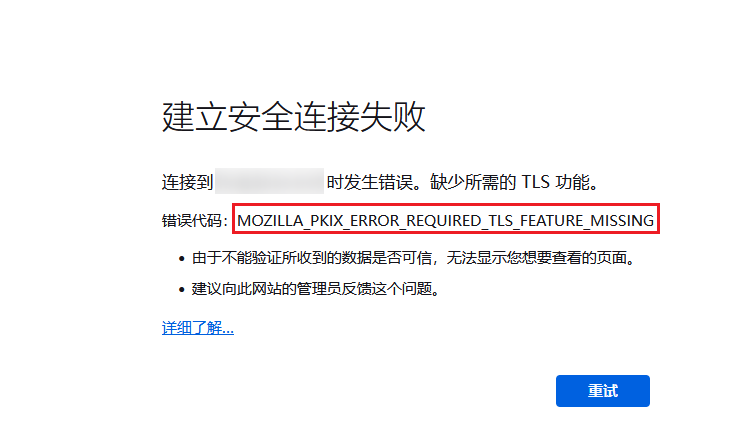


这个啥版本的。装了1.29 烧饼写的那个配置。
就debian12 手动编译nginx1.26.3.